


Readict Fiction
4.7123.00 Reviews
App Specs
- Version
- 5.9.1
- Updated On
- License
- Free
- Downloads
- 50,000+
- Developer
- VitalTek, Inc.
- Categories
- Books & Reference
- Platform
- Android
Screenshots
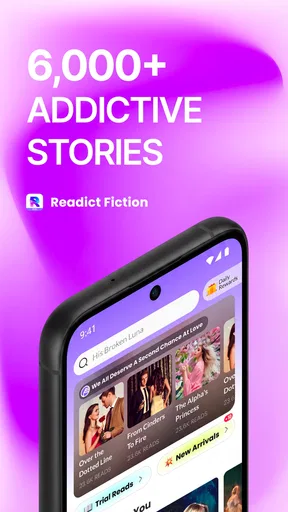

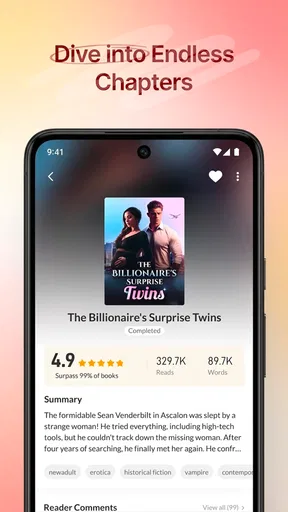
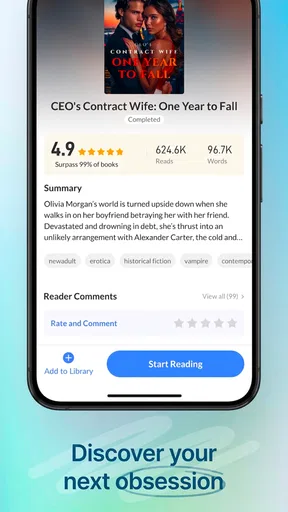
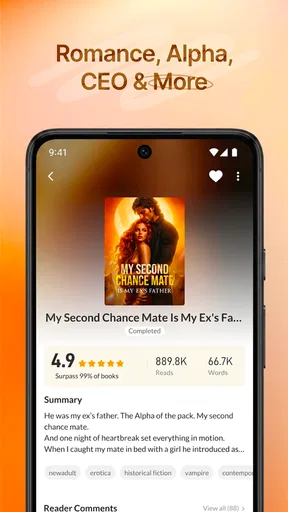
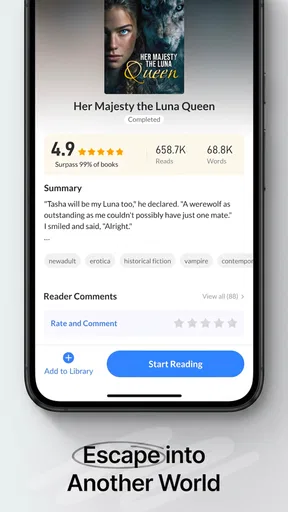
 Analysis by AppCompare
I approached Readict Fiction as a reading app rather than a quick way to browse titles, and that distinction matters. It is built for people who want fiction available on a phone, with the convenience of opening a story during a commute, before bed, or whenever a few spare minutes appear. My overall impression is positive: the app feels focused on making serialized or online reading easy to return to, although readers who want a highly curated library, scholarly reference tools, or a traditional ebook-store experience may find it less suitable.
Developed by VitalTek, Inc., this free Books & Reference app has earned a 4.7 average from around 658 ratings, with more than 50K installs. Those figures suggest that it has found a real audience without making it feel like a huge, impersonal platform. The mature 17+ content rating is also important. I would not treat it as a general family reading app, and I would check the tone and subject matter of individual fiction before handing the phone to a younger reader.
How Readict Fiction feels during everyday reading
I find Readict Fiction easiest to judge by the small decisions that shape a reading session: what to open, when to stop browsing, and how to leave myself a clear path back. Those choices matter more here than treating it like a formal digital bookshelf. Next, I’d look at how I can keep the experience comfortable and deliberate when reading becomes part of my routine.
Opening a story and settling into a session
The main appeal is immediacy. Instead of treating fiction as something that requires a dedicated e-reader, Readict Fiction puts the reading habit in the same device most people already carry. That makes it especially useful for short windows of time: waiting for an appointment, taking a lunch break, or winding down when carrying a physical book is inconvenient.
In my experience, the perceived speed of a reading app is less about dramatic animation and more about how quickly I can get back to the story. A reader who opens the app expecting to continue fiction wants a direct path from launch to reading. Readict Fiction’s purpose is clear enough that it does not feel like a general-purpose reference tool crowded with unrelated material. That focused identity helps the app feel lighter in use than a broader reading marketplace, even though the exact experience can depend on the phone, connection, and the amount of content being loaded.
There is also a useful psychological advantage to online fiction: the app encourages discovery without requiring me to decide which book to buy before trying it. That lowers the commitment barrier. I can sample a story when I am curious, then decide whether its voice and pacing suit me. The trade-off is that browsing can become part of the activity itself. If I already know exactly which title I want, a conventional ebook library with a strong search-and-ownership model may feel more direct.
What happens when reading becomes a daily habit
Readict Fiction makes the most sense when used repeatedly rather than once. A realistic routine would be opening it on a weekday evening, reading a few chapters, stopping when attention drops, and returning the next day. That pattern favors an app that keeps fiction close at hand and reduces the effort needed to resume a story.
Worth Reading Before You Choose

EA SPORTS FC Mobile 26 Is a Bigger Football Game, but It Takes Time

Flipboard Shows What News Apps Must Do Beyond the Feed

Switching to Android Auto Means Rethinking Your Driving Routine

Google Calendar Makes a Crowded Week Easier to Manage

Ludo King Makes the Most of the Minutes Between Plans

Baby Panda World Brings Quick Play to Modern Phones, but Its Game Library Feels Busy
My practical tip is to treat it as a dedicated “small moments” reader. I would not depend on it as my only reading environment if I were planning a long trip, preparing for an exam, or trying to preserve a carefully organized personal library. Instead, I would use it for discovery and ongoing fiction sessions, while keeping a separate reading solution for documents, reference books, or purchased titles that I want to manage permanently.
The app’s free price makes experimentation easy, but free access does not necessarily mean every reading preference will feel equally comfortable. In-app purchases range from $0.49 to $34.99 per item, so I would pay attention to any purchase prompt and decide in advance whether I want to spend money inside the app. For a casual reader, the ability to begin without an upfront payment is convenient. For someone who strongly prefers a predictable one-time purchase, the in-app purchase model may feel less straightforward than buying an ebook outright.
Speed expectations and the effect of content loading
Readers often ask whether an app like this will feel fast on an older phone. The current version is 5.9.1 and requires Android 6.0 or later, which gives it a broad compatibility range. That does not guarantee identical performance on every device, but it does mean the app is not restricted to only recent Android hardware.
I would expect the reading surface itself to be the least demanding part of the experience. Text pages generally place less pressure on a device than video, 3D games, or image-heavy social feeds. The moments most likely to feel slower are the ones involving discovery, loading a new story, or moving between content areas rather than simply reading text already on screen. That distinction is useful: if a phone is modest, the app may still be comfortable for reading even when browsing feels less immediate.
A sensible workflow is to open the app before the exact moment you intend to read. For example, if I know I will have ten minutes on a train, I would choose a story while I have a stable connection rather than waiting until the train is moving. This is not a claim about a special offline system; it is simply good practice for any online reading service where content availability and loading can depend on connectivity. It also prevents a short reading break from turning into a long browsing session.
Heavy-use moments: where friction is more noticeable
The app’s heavier moments are likely to come from using it as a discovery tool for a long time rather than reading one chapter quietly. Scrolling through many fiction choices, opening several stories, and repeatedly switching between browsing and reading can make any mobile library feel busier. The more I treat the app like a catalog, the more I notice the difference between a focused reading session and a search-heavy session.
That leads to one of my more useful recommendations: separate “find something” time from “read something” time. I would browse when I have patience, choose a story, and then return later for the actual reading. This reduces interruptions and makes the app feel more efficient. It also helps avoid a common problem with fiction platforms: spending the entire available break evaluating options instead of reading.
Long sessions bring a different set of concerns. Screen brightness, notifications, and the phone’s own battery condition will usually matter more than the text itself. I would lower brightness to a comfortable level, use a quiet environment, and avoid judging the app’s resource demands solely by one extended session. A phone with many background tasks can make any reading app appear less responsive, while a clean, updated device may feel perfectly comfortable.
Another trade-off is attention. A broad collection of fiction can be a strength when I want variety, but it can also make it harder to commit to one story. Readers who enjoy sampling different genres may see this as part of the fun. Readers who want a deliberately limited shelf may prefer an app where they manually add a small number of owned books and see little else.
Reliability and recovering from interruptions
Reliability is not only about whether an app crashes. For a reader, it also means being able to return after a phone call, a low-battery shutdown, or an accidental swipe without feeling lost. Readict Fiction is most valuable when it supports the habit of coming back to fiction, so I would judge it by how confidently I can resume rather than by a single successful launch.
My advice is to avoid ending a session in the middle of a complicated browsing sequence. Once I have finished reading, I would leave the app in the story I intend to continue, rather than opening several unrelated titles before closing it. That creates a simpler recovery point if the operating system clears the app from memory or the phone needs to restart. It is a small habit, but it makes a meaningful difference on devices with limited memory.
Connection quality also deserves attention. Online reading can be pleasant at home or on a strong mobile signal, yet less predictable in underground transport, crowded venues, or areas with weak coverage. I would not choose this as my sole reading plan for a journey where connectivity is uncertain unless I had already tested how the particular reading routine behaves in that environment. A dedicated ebook reader or a conventional library of stored books is a better fallback when uninterrupted access is essential.
The mature 17+ rating adds another reliability-related consideration for households. Parents should not assume that a fiction catalog is automatically appropriate for children simply because it is text-based. I would review the app together with a teenager, discuss the kinds of stories they may encounter, and use a different child-focused reading option when age filtering is the primary requirement.
Device constraints and the right audience
Android 6.0 compatibility makes Readict Fiction approachable for people who are not using a new flagship phone. Still, operating-system support is only one part of the picture. Storage pressure, background apps, screen quality, battery health, and network access all shape the experience. On an older device, I would keep expectations realistic: reading text should be a reasonable task, but switching rapidly through a large amount of content may feel less smooth than it does on newer hardware.
It is also worth considering the physical screen. A phone is convenient, but it is not automatically the most comfortable display for every reader. Someone who reads for hours may prefer a larger tablet or an e-reader with a screen designed around long sessions. Readict Fiction is strongest when convenience matters more than a specialized reading environment.
I think the app suits several specific readers particularly well. It is a good fit for someone who likes fiction discovery, wants to read on Android without paying before trying the service, and enjoys using small gaps in the day. It can also work for a reader who becomes bored with a single book and appreciates having different stories available to explore.
I would be more cautious if you need textbooks, technical manuals, academic citations, comics with carefully preserved layouts, or a tightly managed collection of purchased ebooks. The Books & Reference label is broad, but Readict Fiction’s identity is clearly centered on fiction reading rather than serving every kind of reference material. A dedicated ebook store, library app, or document reader would be better for those jobs.
Three practical ways to get more from it
Use a two-stage routine: browse when you have time, then read from one selected story during short breaks. This keeps discovery from consuming the entire session and makes the app feel faster in everyday use.
Build a recovery habit by closing the app while you are still inside the story you plan to continue. If the phone interrupts the session, you have a clear starting point instead of having to reconstruct your choice.
Test your reading routine in the places where you actually use your phone. A quiet room and a reliable connection may give a very different impression from a crowded commute, so I would not assume that home performance represents every situation.
Those habits also reveal the app’s central trade-off. Its convenience comes from being available on a general mobile device, but that same flexibility means it shares the device’s distractions and limitations. The best experience comes from giving the app a defined role instead of expecting it to replace every other reading tool.
Updates, cost, and long-term value
The current version, 5.9.1, indicates that the app has continued to receive development beyond its original release on August 10, 2020. I see that as reassuring for a service people may want to revisit regularly, although version numbers alone do not tell me how every update affects an individual phone. Keeping the app and the operating system reasonably current is still the most sensible way to avoid preventable compatibility problems.
Because the app is free to start, its value is easy to test personally. I would spend a few sessions checking three things: whether the available fiction matches my taste, whether the reading flow suits my eyes and attention span, and whether the purchase prompts fit my expectations. If those answers are positive, optional spending may feel worthwhile. If not, there is little reason to force it into a role better served by another reader.
The rating of 4.7 from around 658 ratings is encouraging, while the 123 written reviews suggest there is also enough user feedback for prospective readers to examine. I would still treat public ratings as a starting point rather than a guarantee. Reading comfort is personal, and the same app can feel excellent to someone who reads short fiction sessions while feeling inadequate to someone who wants a polished, offline-first library.
My performance verdict
Readict Fiction is a sensible choice when I want fiction close at hand, quick experimentation without an upfront price, and a reading habit that fits around ordinary parts of the day. Its likely strengths are focus, accessibility, and the low barrier to trying a story. Its limitations are just as practical: online reading depends on the situation, a broad catalog can encourage browsing instead of reading, and the mature rating makes it unsuitable as an unexamined family app.
For speed, I would expect the text-reading portion to be relatively undemanding, while catalog exploration and content loading deserve more patience on older phones or weak connections. For reliability, I would use a simple resume-friendly routine and keep another option available for travel or essential offline reading. For device demands, Android 6.0 support is welcoming, but screen comfort and battery condition still determine whether long sessions feel good.
My recommendation is therefore specific rather than universal: try it if you want a free fiction-focused companion for short, repeatable reading sessions and you are comfortable managing your own expectations around connectivity and in-app purchases. Skip it in favor of a traditional ebook library, dedicated e-reader, or specialized reference app if ownership, offline certainty, advanced organization, or family-safe content is more important than discovery. Used within its strengths, Readict Fiction is an easy way to turn spare minutes into regular fiction time, and that is a worthwhile role for an Android reading app.
Pros
- Large library of serialized fiction across romance
- fantasy
- and drama.
- Personalized recommendations make it easy to discover new stories.
- Daily reading rewards can encourage consistent reading habits.
- Stories are divided into short chapters for convenient mobile reading.
- Readers can interact with authors and other fans through comments.
Cons
- Many stories use a coin system that can limit access to later chapters.
- Frequent ads may interrupt reading
- especially for free users.
- Story quality varies considerably between different authors and titles.
- Some chapters may contain grammar
- spelling
- or editing mistakes.
- Offline reading options may be limited for selected stories or chapters.
FAQs for Readict Fiction
What is Readict Fiction, and what kind of stories can I read there?
Readict Fiction is a mobile reading app focused on serialized fiction and digital novels. Its library generally includes romance, fantasy, drama, mystery, werewolf, billionaire, and other popular online-fiction genres. Stories are usually divided into short chapters, making them convenient to read during breaks. The exact selection can change over time, and availability may vary depending on your region and the current app catalog.
Is Readict Fiction free to download and use?
Readict Fiction can typically be downloaded without an upfront purchase, but that does not necessarily mean every chapter is free. Some stories may allow free reading, while others can require coins, credits, advertisements, or in-app purchases to unlock additional chapters. Before spending money, check the app’s current pricing, reward options, subscription details, and refund policies through the official Google Play Store or Apple App Store listing.
Does Readict Fiction require an internet connection?
An internet connection is generally needed to browse the catalog, load stories, synchronize your reading progress, display advertisements, and process purchases. Depending on the version of the app, selected chapters may be available for offline reading after they have been downloaded, but offline functionality should not be assumed for the entire library. It is best to test downloaded content before traveling or going somewhere without reliable connectivity.
Can I save my progress and continue reading Readict Fiction on another device?
Readict Fiction may save your reading history and unlocked content through an account or supported sign-in method, allowing you to continue reading after reinstalling the app or changing devices. However, synchronization can depend on how you originally logged in and whether the same account is used everywhere. To avoid losing progress, create or connect an account when possible and confirm that your latest chapters appear before removing the app.
Is Readict Fiction suitable for children and teenagers?
Readict Fiction is not automatically suitable for every child because its stories can include mature romance, violence, emotional themes, suggestive situations, or other content intended for older readers. Age ratings and story descriptions are useful, but they may not fully explain every scene. Parents should review the store rating, inspect individual titles, and use device-level parental controls or purchase restrictions if younger users will access the application.


